Schematic changelog
Dev Tooling Update May 2026
Idempotency keys
The create-event endpoint now accepts an optional idempotency_key. When two events arrive with the same key, the second is treated as a duplicate and dropped instead of recorded again. This makes event submission safe to retry after a timeout or network failure without double-counting usage or burning credits twice. The key is optional, so existing integrations keep working unchanged.
Historical event timestamps
Two new optional fields on the track endpoint let you control an event's effective timestamp instead of using server receipt time. Both require a secret API key. trusted_client_clock uses your sent_at value as the event time and still runs all billing: credits are consumed, Stripe meter events report at the logical time, and usage webhooks fire.
Use it to correct recent usage, within 5 minutes ahead and 34 days back. backfill is analytics-only. Events land at their logical time but skip every billing side effect, including credit consumption, Stripe reporting, usage webhooks, auto top-up, and last-seen updates. Use it to import historical usage up to 365 days back. ClickHouse event retention moved from 60 to 365 days to match.
Company Profile v2
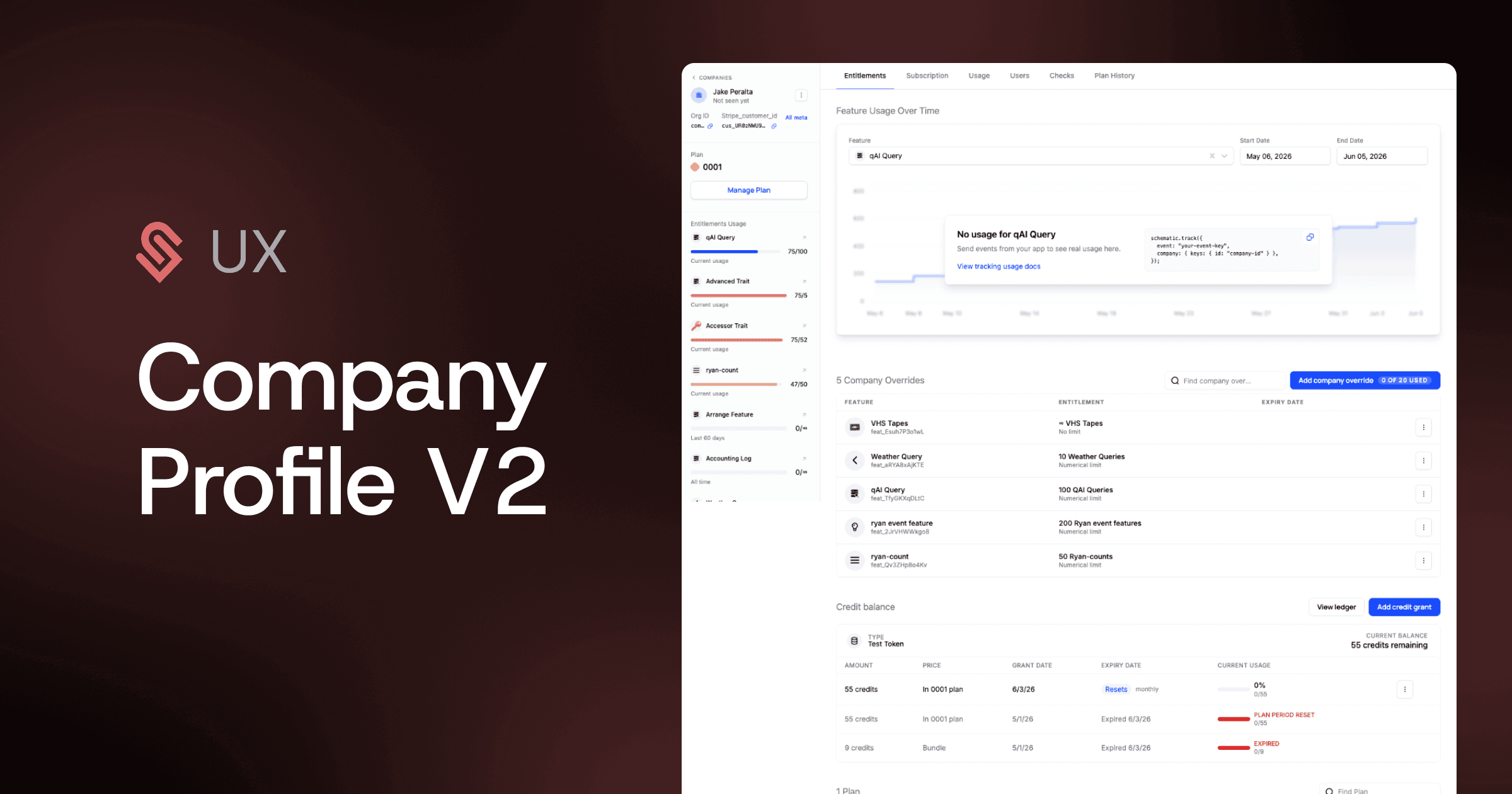
The company profile is rebuilt as one scrolling page with a fixed left sidebar and a submenu that anchors to each section. Plan, subscription total, next bill date, trial status, and the Manage Plan button now sit in the sidebar where they stay visible. Usage and limits are on the page itself instead of behind a panel you have to open. IDs copy on click. The page loads progressively so the most important information appears first.
Custom Fields in Checkout
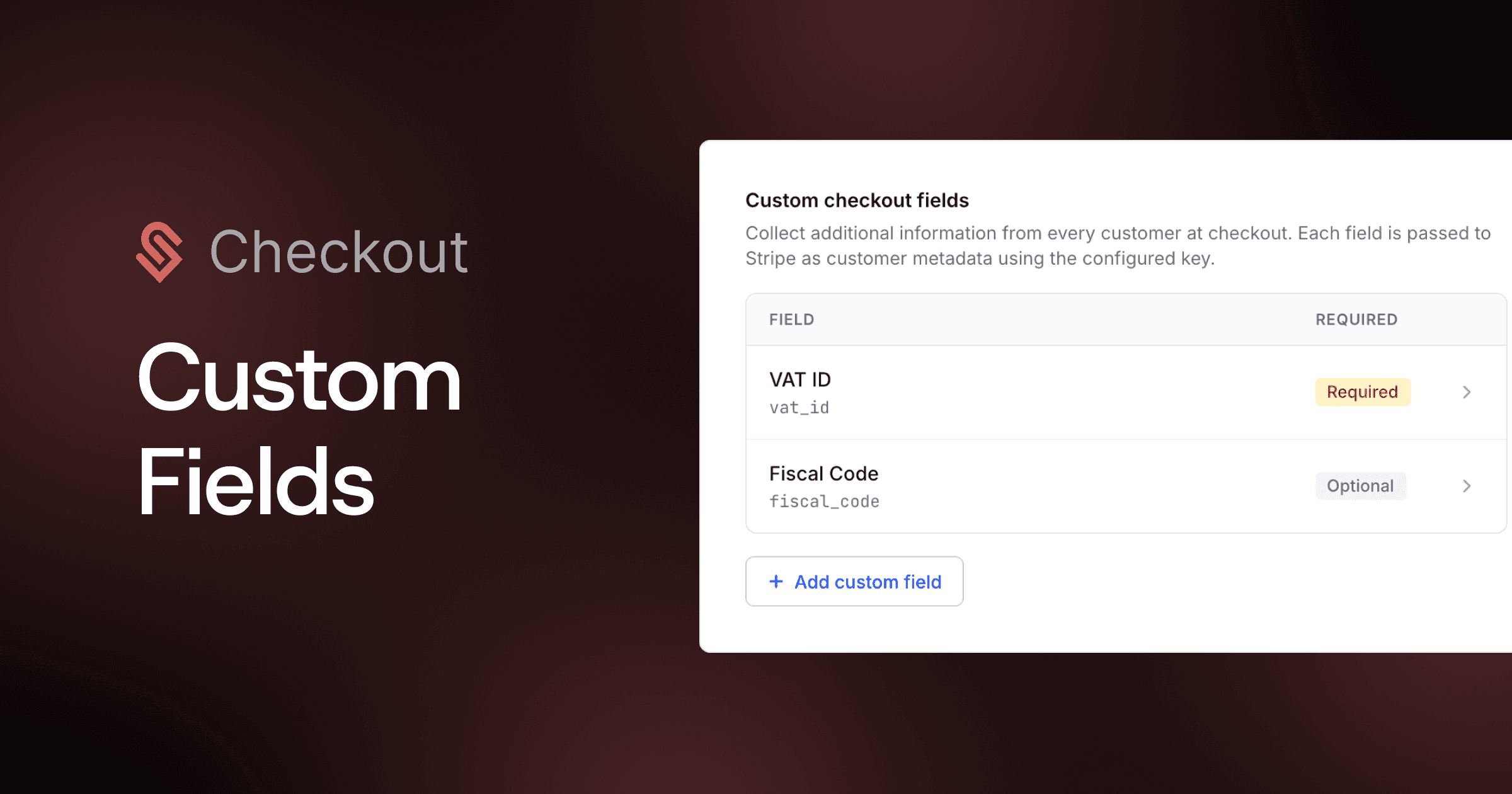
Schematic checkout previously collected only billing email, address, and phone. You can now define custom fields in Checkout Settings, each one mapped to a Stripe customer metadata key, and mark them required. Configured fields appear on every subscription checkout, and their values are written to both the Stripe customer record and the Schematic company record.
Customers can update the values after subscribing: the existing Payment Method component becomes Payment Details and shows each field with an edit modal. This unblocks regional e-invoicing and tax workflows that depend on extra metadata, with no code on your side. Stripe only in this version.
GDPR Compliance

Schematic completed its GDPR compliance requirements. This covers the data processing agreement available to customers, an appointed EU representative, cookie consent, executed vendor DPAs, and data breach, privacy, and information security policies, tracked through Vanta. This sits alongside the existing record deletion and anonymization endpoints that let you erase company and user data on request.
Standalone Migrations
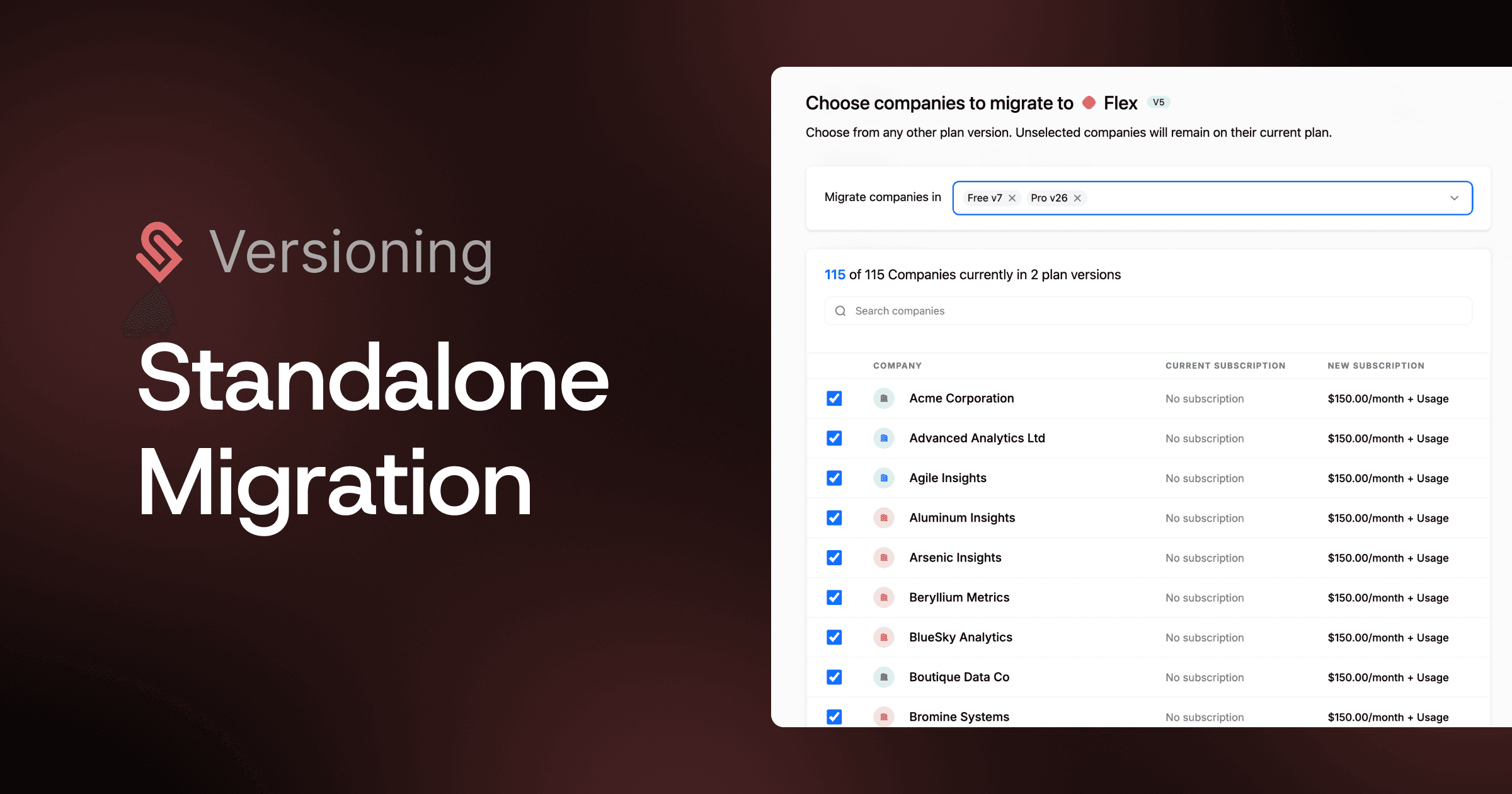
Moving companies between plan versions previously required going through the version-creation flow, which could strand an account if the destination version had not been created yet.
You can now start a migration directly from the Plans page or a plan version's menu, pick any destination version, and pull companies from one or more origin versions. This removes the dependency on the versioning flow and fixes the case where a customer could not migrate because they could not create the target version first.
WorkOS Auth Integration
Schematic now has a native WorkOS integration that maps WorkOS organizations to Schematic companies and WorkOS users to Schematic users, keyed on workos_organization_id and workos_user_id.
On install it runs a one-time backfill of existing organizations and users, then keeps Schematic in sync through WorkOS webhooks that create, update, and delete records as your directory changes.
Customers could already use WorkOS by passing the IDs at signup; the integration removes that manual step and the ongoing sync code. It is built on the same pattern as the Clerk integration.
Credit Rollovers

Plan credit grants can now roll over a configured percentage of unused balance at reset instead of forfeiting it.
Unused plan credits were forfeited at reset. You can now set a rollover percentage (0 to 100) on a credit grant entitlement when Reset is set to Plan period. At reset, that percentage of the unused balance becomes a separate credit grant that expires at the next reset. The rolled grant is consumed before the fresh recurring grant because it expires sooner, and it does not roll a second time.
The default is 0%, so plans you do not change keep forfeiting at reset exactly as before. The field is hidden for any reset cadence other than Plan period. Auto top-up grants, purchased bundles, and manual grants are excluded. On a mid-period plan change, forfeit-and-refresh takes precedence and no rollover grant is created.
Dev Tooling Update 4/26
The Java and Python SDKs now support the same real-time flag evaluation architecture already available in all published backend clients.
DataStream
Both SDKs now open a persistent WebSocket connection to Schematic on startup. When a flag check comes in, the SDK pulls the company data once, subscribes to future updates for that company-flag pair, and resolves all subsequent checks locally without an API call. Plan changes, override updates, and usage changes are pushed to the SDK in real time. Read more about DataStream and cross-platform SDK features.
Replicator
Both SDKs now support Replicator, which replicates all flag, company, and user data into your own infrastructure via a Schematic-provided container backed by Redis. Flag checks never leave your network. Updates propagate automatically, and your application continues operating from the local cache if Schematic is unreachable.
Optimistic Metric Updates
When the SDK processes a track event tied to a metered feature, it now optimistically increments the local usage count before the server confirms. Flag checks that depend on usage limits reflect the change immediately instead of waiting for the round trip. This closes a real gap for hard limits: if a customer has 3 of 5 API calls remaining and makes a request, the SDK knows they have 2 left without waiting for server confirmation.
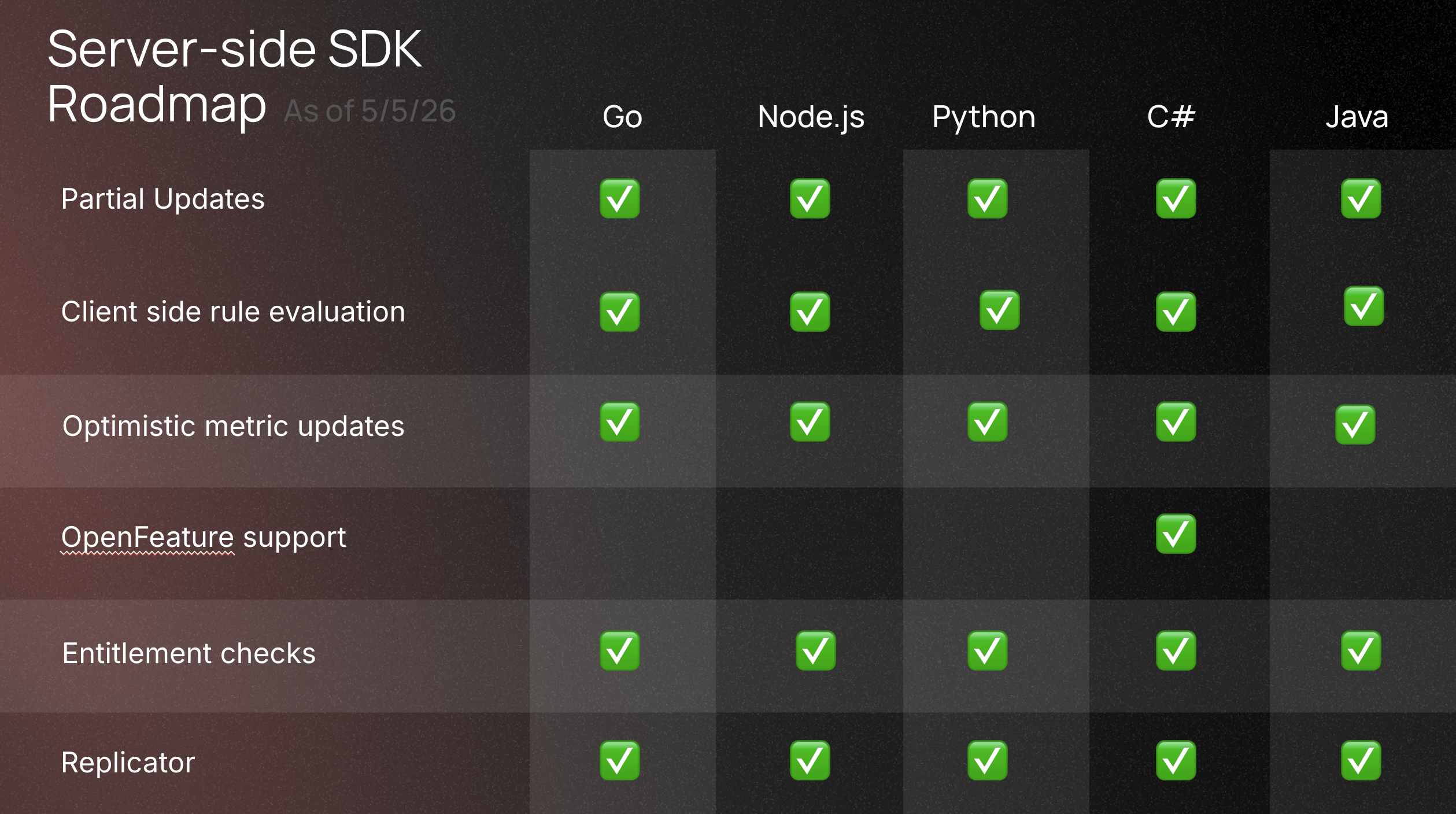
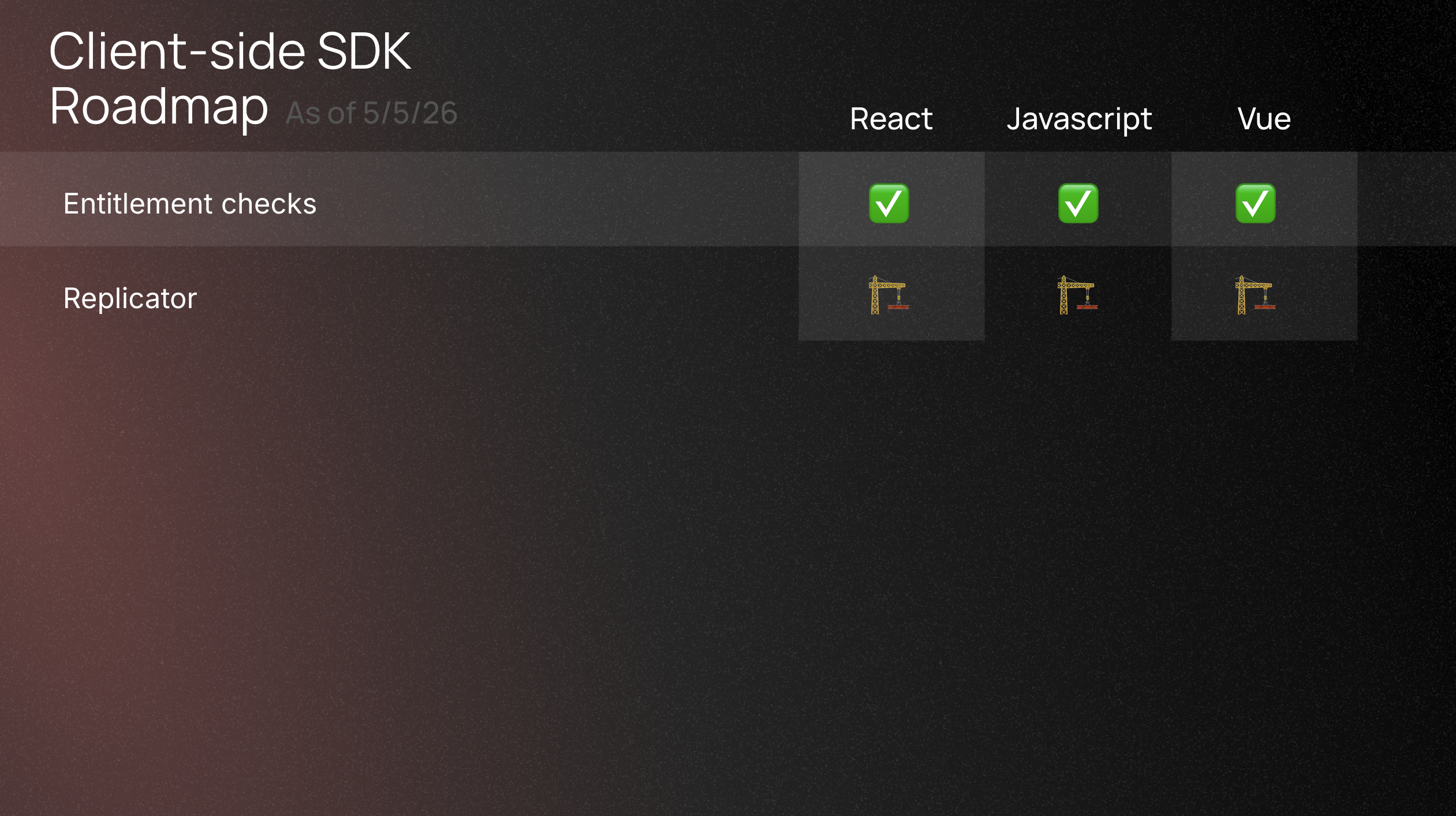
SDK support matrix for DataStream and Replicator is now: Go, C#, Java, Python. Node.js is coming soon. See the full SDK support table for details.